Small-business owners get the most from AI when they give the assistant a short written brief about the business and then use it for the same few jobs every week: planning, first drafts, procedures and checking numbers. The owner still makes the decisions and checks the facts.
Use is growing but still uneven. In Statistics Canada's second-quarter 2026 survey, 19.2% of businesses said they used AI to produce goods or deliver services over the previous 12 months, up from 12.2% a year earlier. In the US, the Census Bureau reported a national AI use rate of 19.8% as of May 2026, and found that use among firms with fewer than 20 employees did not change significantly between December 2025 and May 2026. Many small owners have tried a chatbot and stopped. The routines below are designed to stick.
Start with a one-page business brief
Generic answers come from an assistant that knows nothing about you. Fix that once. Write a page that covers:
- What you sell, your prices and who buys
- Where you operate and which country's rules apply
- Your team, their roles and your working hours
- Your three priorities for this quarter
- How you write: a few lines from emails you were happy with
- Things the assistant should never do, such as promise discounts or quote legal rules as fact
Most assistants let you save standing instructions or a project with files attached. Put the brief there so every chat starts with it. Update it each quarter when your priorities change.
Seven routines that save owners time
1. Plan the week on Monday
Paste your task list and calendar for the week. Ask the assistant to sort tasks by your quarterly priorities and flag what can wait or be handed off.
Try this prompt
“Here are my tasks and meetings for this week. Using my business brief, group them by my three quarterly priorities, list anything that doesn't fit any priority, and suggest the three tasks I should finish first.”
2. Review the week on Friday
List what got done, what slipped and what you learned. Ask for a short summary and one change to try next week. Over a quarter, these notes show patterns you would otherwise miss.
3. Write first drafts
Quotes, follow-up emails, job posts, website updates and replies to reviews all start faster from a draft. Give the facts, ask for a draft in your voice, then edit it yourself. Read every draft before it goes out, and never send one that states a price, deadline or promise you have not checked.
4. Turn what is in your head into procedures
Record yourself explaining a task, such as opening the shop or sending month-end invoices, and paste the transcript. Ask the assistant to turn it into numbered steps with a checklist. Give it to a staff member to test and fix the gaps. One procedure a week adds up to a business that runs better when you are away.
5. Check your numbers
Paste a sales report or your 13-week cash flow forecast and ask questions about it. Ask for questions rather than conclusions, and redo any calculation that matters in your spreadsheet.
Try this prompt
“Here is my cash forecast for the next 13 weeks. Point out the weeks below my cushion, any costs that look missing compared with a typical month, and five questions I should answer before Friday. Don't give financial advice; help me think it through.”
6. Turn calls and meetings into actions
After a call, paste your rough notes and ask for a list of decisions, owners and dates. Send the list to the people involved the same day. Ask permission before you record anyone.
7. Prepare for big decisions
Before a hire, a new location or a business purchase, ask the assistant to list the questions you should answer and the documents you will need. If you are looking at buying a business, it can help you organize seller documents against our due-diligence checklist. The analysis and the decision stay with you and your professionals.
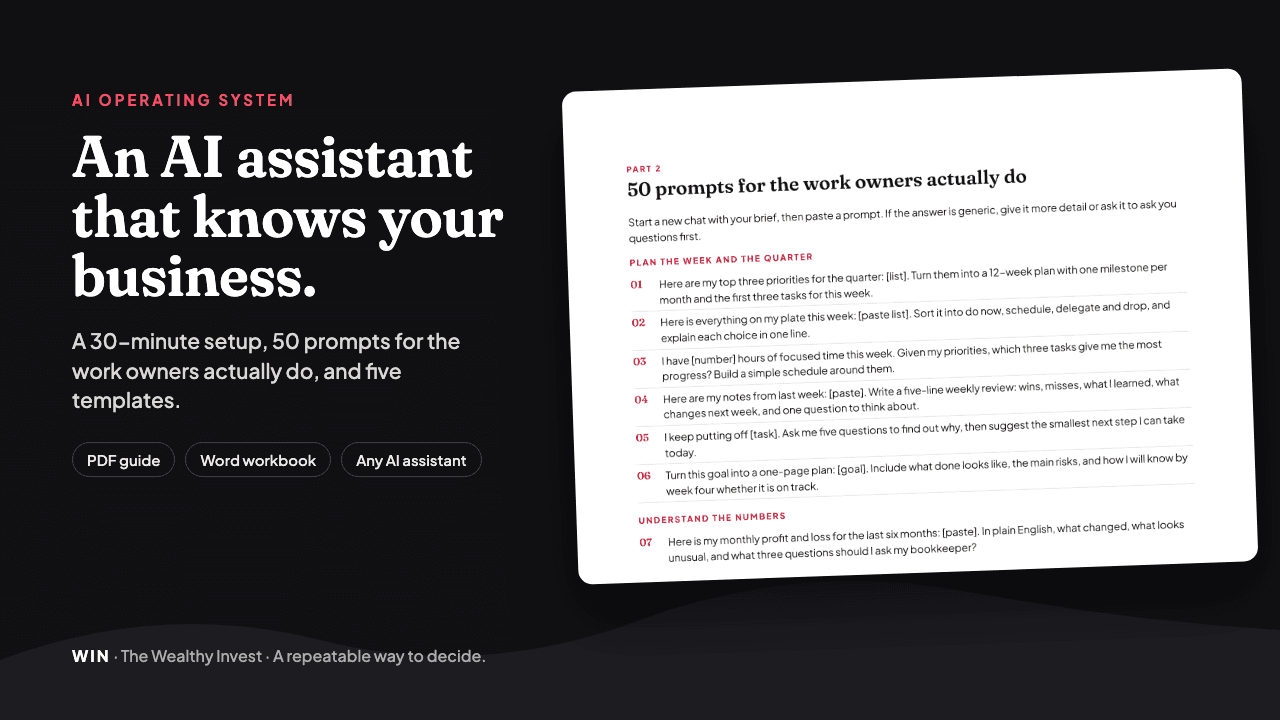 Tool · $39 USDAI Operating System for OwnersAn AI assistant that knows your business. See what's inside →
What to keep out of AI tools
Check your assistant's data settings, including whether your chats can be used to train its models, and choose a business plan if you share company information. Then keep sensitive data out unless you know how the tool handles it.
- Customer personal information, such as names with addresses, health details or payment card numbers
- Employee records, pay details and performance notes
- Passwords, bank logins and account numbers
- Anything a contract says you must keep confidential
Canada
- PIPEDA applies to private-sector organizations that collect, use or disclose personal information in commercial activities.
- Alberta, British Columbia and Quebec have their own private-sector privacy laws that apply instead within those provinces.
- Tell customers how you use their information, and use only what you need.
United States
- There is no single federal privacy law for all businesses. Rules come from states and from laws for specific sectors such as health.
- California's CCPA applies to for-profit businesses that meet thresholds such as more than $25 million in annual revenue. Other states have their own laws.
- Even where no law applies, your privacy policy is a promise. Make sure your AI use matches it.
Check everything it tells you
AI assistants can state wrong facts with complete confidence, especially about laws, tax rules, dates and figures. Treat every answer as a draft from a fast junior helper. Check rules on official government sites, check maths in your spreadsheet, and take legal, tax and accounting questions to a licensed professional.
Your first month with an AI assistant
Adding all seven routines at once usually means none of them last. Add one a week and keep the ones that save you time.
- 1Week 1: Write the business brief and save it. Use the assistant for the Monday plan only.
- 2Week 2: Add first drafts for routine emails and quotes. Keep a note of every edit you make, then add the common fixes to your brief.
- 3Week 3: Add the Friday review, and write your first procedure for a task you do every week.
- 4Week 4: Run a monthly money review with your sales report and cash forecast. Then decide which routines stay.
If someone on your team will use the assistant too, share the brief and the procedures with them, and agree on what information stays out of it. One shared set of instructions keeps the answers consistent across the business.
Build the rhythm
| When | Routine | Time |
|---|---|---|
| Monday | Plan the week against your priorities | 15 minutes |
| Daily | First drafts of emails, quotes and replies | As needed |
| Friday | Review the week and pick one change | 15 minutes |
| Weekly | Write or improve one procedure | 30 minutes |
| Monthly | Review sales, costs and the cash forecast | 45 minutes |
| Quarterly | Update the business brief and priorities | 30 minutes |
The times are a starting point. Adjust them to fit your week. The AI Operating System for Owners has the brief template, 50 prompts and templates for procedures, the weekly review and the monthly money review. For the bigger picture of where your business and personal money stand, see the Wealth Roadmap.
Common questions
Which AI assistant should a small business use?
Any of the major assistants, such as ChatGPT, Claude or Gemini, can handle planning, drafting and summaries. Pick one, save your business brief in it, and use it consistently. Check its business plan and data settings before you share company information.
Is it safe to put business information into AI tools?
It depends on the tool's settings and your plan. Keep customer personal information, employee records, passwords and confidential contracts out unless you know how the data is stored and used. In Canada, PIPEDA or a provincial privacy law may apply to the personal information you handle.
How long does it take to set up AI for my business?
Writing a one-page business brief takes about 30 minutes. After that, each routine in this guide takes 15 to 45 minutes a week.
Can AI replace my accountant or lawyer?
No. AI can help you prepare questions, organize documents and understand terms. Tax, legal and accounting decisions should go to a licensed professional who knows your situation.
What are the best first tasks to give an AI assistant?
Start with weekly planning, first drafts of routine emails and turning one task you always do into a written procedure. These are low risk, easy to check and save time every week.